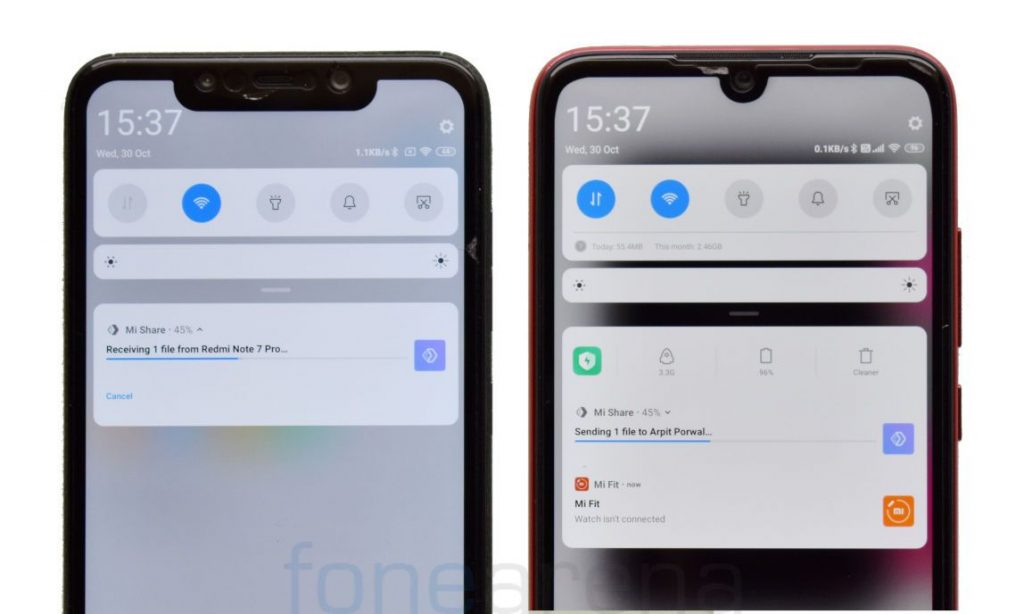
 A couple of months ago, Xiaomi, realme, OPPO, and Vivo announced their collaboration for a cross-brand file transfer technology that lets you transfer files quickly (up to 82Mbps). As per the recent Counterpoint Report, 2 out of every 3 phones sold in 2019 Q3 were from one of the above-mentioned brands, so the cross-brand file transfer technology could turn out really helpful for smartphone users in the country. Xiaomi has introduced this cross-brand technology as Mi Share on MIUI 11, while other brands in the above-mentioned list are yet to roll-out the new file-sharing technology to their users. We tried transferring large files from Redmi Note 7 Pro to POCO F1, both running MIUI 11 Stable and here is an overview of Mi Share. [gallery size="large" link="file" ids="297662,297663,297664"] You can find Mi Share under the Connection & sharing settings. [gallery size="large" columns="2" link="file" ids="297665,297666"] The user needs to grant Storage and location access to Mi Share. [gallery size="large" link="file" ids="297669,297670,297671"] Turn on Mi Share and Wi-Fi, go to gallery or file manager, choose a file and tap on send, nearby available devices will be shown. [gallery columns="2" size="large" link="file" ids="297675,297672"] Tap on the available device, post which you should see a pop-up to accept or decline the file-transfer request. [gallery ...
Sunday, 10 November 2019
Mi Share Overview — Here’s how to use this file transfer feature in MIUI 11
A couple of months ago, Xiaomi, realme, OPPO, and Vivo announced their collaboration for a cross-brand file transfer technology that lets you transfer files quickly (up to 82Mbps). As per the recent Counterpoint Report, 2 out of every 3 phones sold in 2019 Q3 were from one of the above-mentioned brands, so the cross-brand file transfer technology could turn out really helpful for smartphone users in the country. Xiaomi has introduced this cross-brand technology as Mi Share on MIUI 11, while other brands in the above-mentioned list are yet to roll-out the new file-sharing technology to their users. We tried transferring large files from Redmi Note 7 Pro to POCO F1, both running MIUI 11 Stable and here is an overview of Mi Share. [gallery size="large" link="file" ids="297662,297663,297664"] You can find Mi Share under the Connection & sharing settings. [gallery size="large" columns="2" link="file" ids="297665,297666"] The user needs to grant Storage and location access to Mi Share. [gallery size="large" link="file" ids="297669,297670,297671"] Turn on Mi Share and Wi-Fi, go to gallery or file manager, choose a file and tap on send, nearby available devices will be shown. [gallery columns="2" size="large" link="file" ids="297675,297672"] Tap on the available device, post which you should see a pop-up to accept or decline the file-transfer request. [gallery ...


-
Here are the social profile links that I have worked on for Backlinks https://docs.google.com/presentation/d/1gAvVQYafqO_jWsSIz3N95Sy3q5KAx...
-
The Optimus L4 II E440 owners may also want to keep their device up-to-date. So we thought of giving you a tutorial of how to upgrade Opt...
-
Vivo launched the vivo V17 smartphone late last year in India with a Super AMOLED display, 32MP in-screen camera, and more. The successor t...
