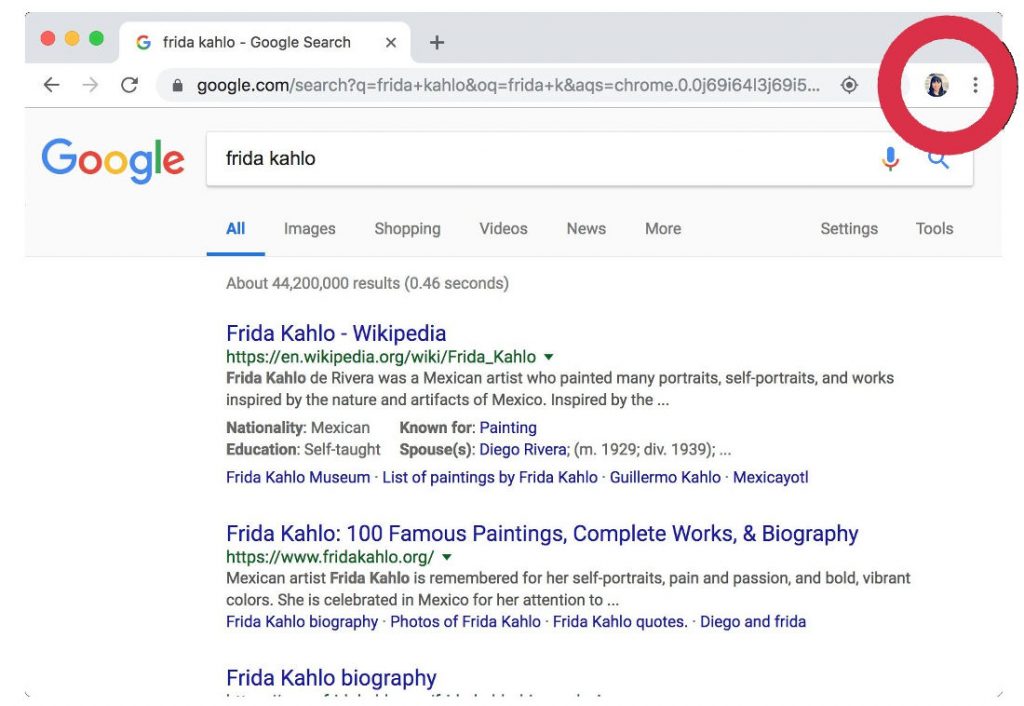
 With the Chrome 69 release, when you log into your Google account, or any Google service, you will also be automatically logged into Chrome whether you want to or not. There is a visual indicator letting the user know he is logged into Google. However, Matthew Green, a cryptography professor at Johns Hopkins University, feels that it might be a big deal as it associates browsing with a Google account. Browsing history shouldn't be associated with a Google account unless you choose to log in to Chrome. Though the browsing data is not uploaded and sync is not enabled, there might be data gathered by the authentication process alone. When you sign in to the Chrome browser or a Chromebook with your Google Account, your personal browsing data is saved on Google's servers and synced with your account. To reiterate, signing in does NOT turn on Chrome Sync. The Chrome Help Center https://t.co/t2pPjiqkVe and Chrome White Paper https://t.co/RFlpiSSs2j have up-to-date details about this change. My colleagues are updating the Chrome privacy notice ASAP to make this more clear 6/6 — Adrienne Porter Felt (@__apf__) September 24, 2018 The types of information can include browsing history, bookmarks, tabs, passwords and auto fill information, other browser settings, like installed extensions. ...
Monday, 24 September 2018
Chrome 69 forcibly logs in users when signing into a Google service but it doesn’t turn on Chrome Sync
With the Chrome 69 release, when you log into your Google account, or any Google service, you will also be automatically logged into Chrome whether you want to or not. There is a visual indicator letting the user know he is logged into Google. However, Matthew Green, a cryptography professor at Johns Hopkins University, feels that it might be a big deal as it associates browsing with a Google account. Browsing history shouldn't be associated with a Google account unless you choose to log in to Chrome. Though the browsing data is not uploaded and sync is not enabled, there might be data gathered by the authentication process alone. When you sign in to the Chrome browser or a Chromebook with your Google Account, your personal browsing data is saved on Google's servers and synced with your account. To reiterate, signing in does NOT turn on Chrome Sync. The Chrome Help Center https://t.co/t2pPjiqkVe and Chrome White Paper https://t.co/RFlpiSSs2j have up-to-date details about this change. My colleagues are updating the Chrome privacy notice ASAP to make this more clear 6/6 — Adrienne Porter Felt (@__apf__) September 24, 2018 The types of information can include browsing history, bookmarks, tabs, passwords and auto fill information, other browser settings, like installed extensions. ...


-
Here are the social profile links that I have worked on for Backlinks https://docs.google.com/presentation/d/1gAvVQYafqO_jWsSIz3N95Sy3q5KAx...
-
The Optimus L4 II E440 owners may also want to keep their device up-to-date. So we thought of giving you a tutorial of how to upgrade Opt...
-
Vivo launched the vivo V17 smartphone late last year in India with a Super AMOLED display, 32MP in-screen camera, and more. The successor t...
