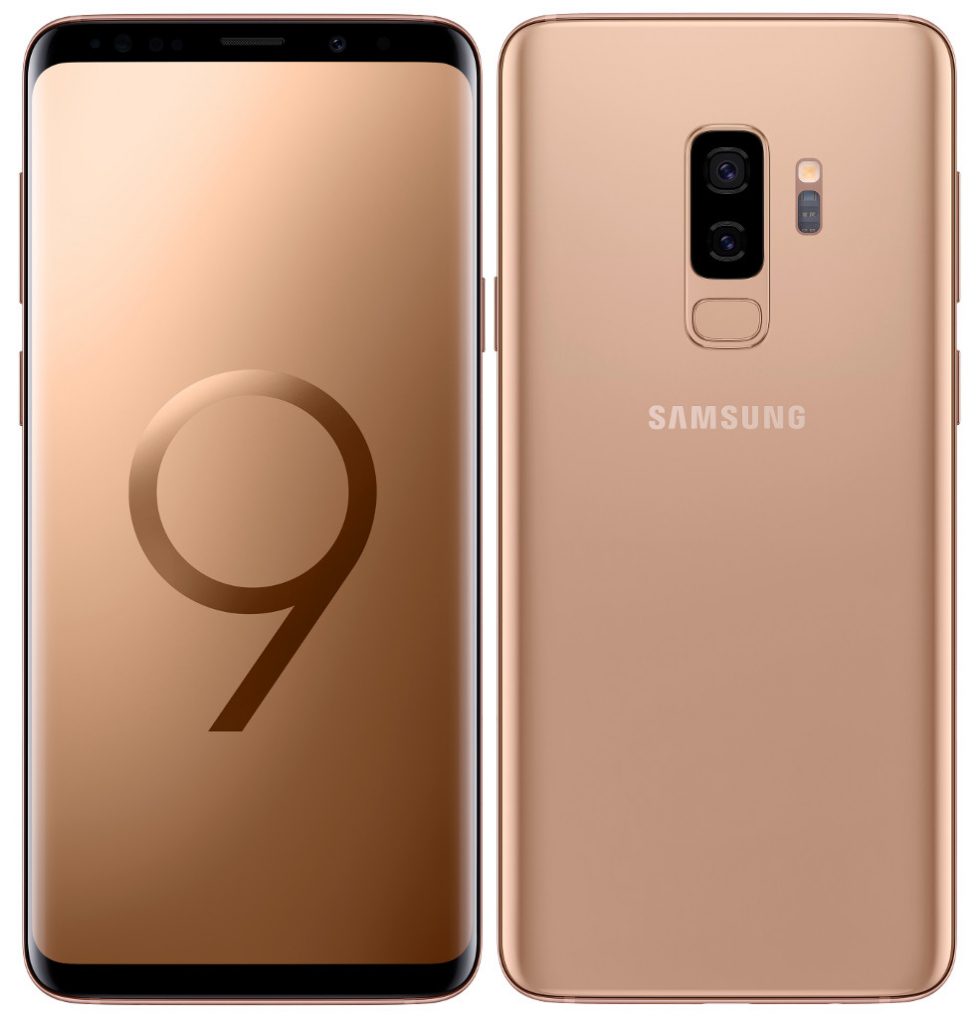
 Samsung just launched the new Sunrise Gold color variant of the Galaxy S9 smartphone that joins the Midnight Black, Coral Blue, and Lilac Purple versions that were launched earlier this year. Samsung has also announced a TV Control widget, which offers a one-of-its-kind unified convergence solution between mobiles and televisions. Once enabled through Smart Things app, when a user is in the vicinity of a television, the TV Control widget will automatically show up on their phone and allow two-way screen mirroring and sound mirroring. With the ‘View Screen’ mode in the widget, consumers can carry their television entertainment as they move across rooms by using the ‘TV to device’ option. Consumers can also enjoy mobile games on a big screen by mirroring their mobile screen on to their television using the ‘Device to TV’ option. The TV Control widget also has a ‘Play Sound’ mode which allows consumers to stream and share music from their mobile with others around by using the television as a Bluetooth speaker using the “Device to TV” option. Reverse sound mirroring using the ‘TV to device’ option turns social entertainment to personal entertainment. So, consumers can listen to TV sound on mobile earphones at night without disturbing others. The Samsung Galaxy S9+ ...
Friday, 15 June 2018
Samsung Galaxy S9+ Sunrise Gold Limited Edition launched in India
Samsung just launched the new Sunrise Gold color variant of the Galaxy S9 smartphone that joins the Midnight Black, Coral Blue, and Lilac Purple versions that were launched earlier this year. Samsung has also announced a TV Control widget, which offers a one-of-its-kind unified convergence solution between mobiles and televisions. Once enabled through Smart Things app, when a user is in the vicinity of a television, the TV Control widget will automatically show up on their phone and allow two-way screen mirroring and sound mirroring. With the ‘View Screen’ mode in the widget, consumers can carry their television entertainment as they move across rooms by using the ‘TV to device’ option. Consumers can also enjoy mobile games on a big screen by mirroring their mobile screen on to their television using the ‘Device to TV’ option. The TV Control widget also has a ‘Play Sound’ mode which allows consumers to stream and share music from their mobile with others around by using the television as a Bluetooth speaker using the “Device to TV” option. Reverse sound mirroring using the ‘TV to device’ option turns social entertainment to personal entertainment. So, consumers can listen to TV sound on mobile earphones at night without disturbing others. The Samsung Galaxy S9+ ...

