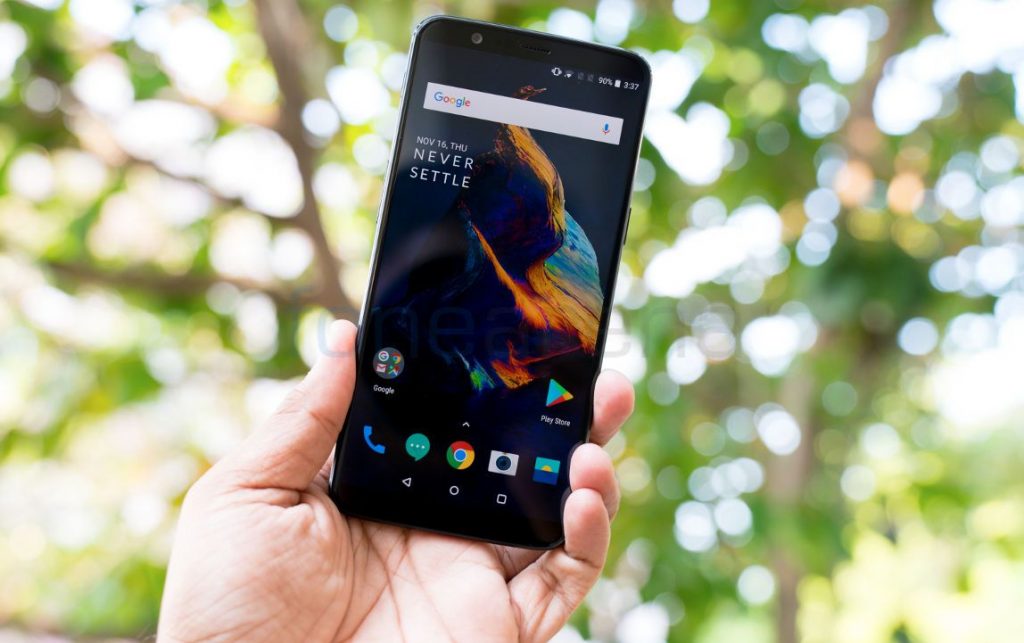
 OnePlus has rolled out new Open Beta update for its OnePlus 5 and 3 series smartphones (Beta 10 for OnePlus 5, Beta 8 for OnePlus 5T, Beta 36 for OnePlus 3 and Beta 27 for OnePlus 3T) that brings latest May 2018 Android security patch as well as new offers for Launcher, OnePlus Switch and Group MMS support. System Updated Android security patch to May Launcher Added Toolbox Card in shelf Added Hidden Space in app drawer Added support for editing dynamic icons(weather,clock and calendar) OnePlus Switch Optimized user interface for backup & restore Optimized logic for time remaining General bug fixes and stability improvements Messages Added Group MMS The update is about 108MB in size for OnePlus 3 and 3T and 348MB for the OnePlus 5 and OnePlus 5T. If you’ve already flashed a previous Open Beta build, you will receive this update via OTA. If you haven’t, you will need to flash this manually by downloading it from downloads.oneplus.com. Source 1, 2
Wednesday, 16 May 2018
OnePlus 5, 5T, 3 and 3T get new beta updates with May Android security patch, adds new Launcher, Switch features
OnePlus has rolled out new Open Beta update for its OnePlus 5 and 3 series smartphones (Beta 10 for OnePlus 5, Beta 8 for OnePlus 5T, Beta 36 for OnePlus 3 and Beta 27 for OnePlus 3T) that brings latest May 2018 Android security patch as well as new offers for Launcher, OnePlus Switch and Group MMS support. System Updated Android security patch to May Launcher Added Toolbox Card in shelf Added Hidden Space in app drawer Added support for editing dynamic icons(weather,clock and calendar) OnePlus Switch Optimized user interface for backup & restore Optimized logic for time remaining General bug fixes and stability improvements Messages Added Group MMS The update is about 108MB in size for OnePlus 3 and 3T and 348MB for the OnePlus 5 and OnePlus 5T. If you’ve already flashed a previous Open Beta build, you will receive this update via OTA. If you haven’t, you will need to flash this manually by downloading it from downloads.oneplus.com. Source 1, 2


-
Here are the social profile links that I have worked on for Backlinks https://docs.google.com/presentation/d/1gAvVQYafqO_jWsSIz3N95Sy3q5KAx...
-
The Optimus L4 II E440 owners may also want to keep their device up-to-date. So we thought of giving you a tutorial of how to upgrade Opt...
-
Vivo launched the vivo V17 smartphone late last year in India with a Super AMOLED display, 32MP in-screen camera, and more. The successor t...
