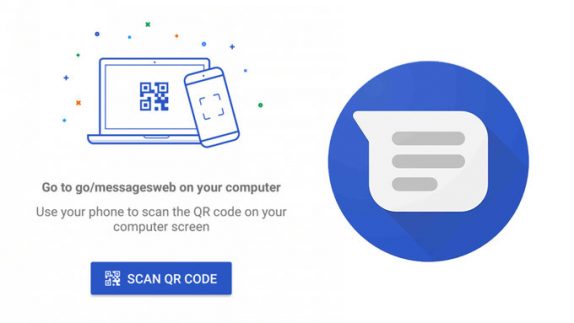
 Back in February, there were reports that Google is working on a web-based client for Android Messages. It looks like Google might be rolling out this very soon. The code hinted at compatibility with all major desktop browsers like Chrome, Opera, Safari, etc., rather than a stand-alone app. This feature would allow you to scan a QR code on your PC in order to pair it with the Android smartphone. Now the feature is inching closer to the launch as the Android side of the implementation seems complete. It also looks like Google Account linking is about ready to roll out as well as XDA Developers were able to enable it. Once the feature is live, you will be able to see “messages for web,” button in the menu. It will also show a popup bar at the bottom that informs you of the new Messages for Web feature, and once you press the option, it’ll take you to a new page asking you to go to scan a QR code on messages.android.com (it is currently resulting 404 error). There are new strings that hint at allowing you to link your Google account to give you a more “personalized experience.” For now, this is where the details about the Android Messages web client ...
Friday, 13 April 2018
Android Messages desktop client expected to release soon, could let you link Google Account
Back in February, there were reports that Google is working on a web-based client for Android Messages. It looks like Google might be rolling out this very soon. The code hinted at compatibility with all major desktop browsers like Chrome, Opera, Safari, etc., rather than a stand-alone app. This feature would allow you to scan a QR code on your PC in order to pair it with the Android smartphone. Now the feature is inching closer to the launch as the Android side of the implementation seems complete. It also looks like Google Account linking is about ready to roll out as well as XDA Developers were able to enable it. Once the feature is live, you will be able to see “messages for web,” button in the menu. It will also show a popup bar at the bottom that informs you of the new Messages for Web feature, and once you press the option, it’ll take you to a new page asking you to go to scan a QR code on messages.android.com (it is currently resulting 404 error). There are new strings that hint at allowing you to link your Google account to give you a more “personalized experience.” For now, this is where the details about the Android Messages web client ...


-
Here are the social profile links that I have worked on for Backlinks https://docs.google.com/presentation/d/1gAvVQYafqO_jWsSIz3N95Sy3q5KAx...
-
The Optimus L4 II E440 owners may also want to keep their device up-to-date. So we thought of giving you a tutorial of how to upgrade Opt...
-
Vivo launched the vivo V17 smartphone late last year in India with a Super AMOLED display, 32MP in-screen camera, and more. The successor t...
