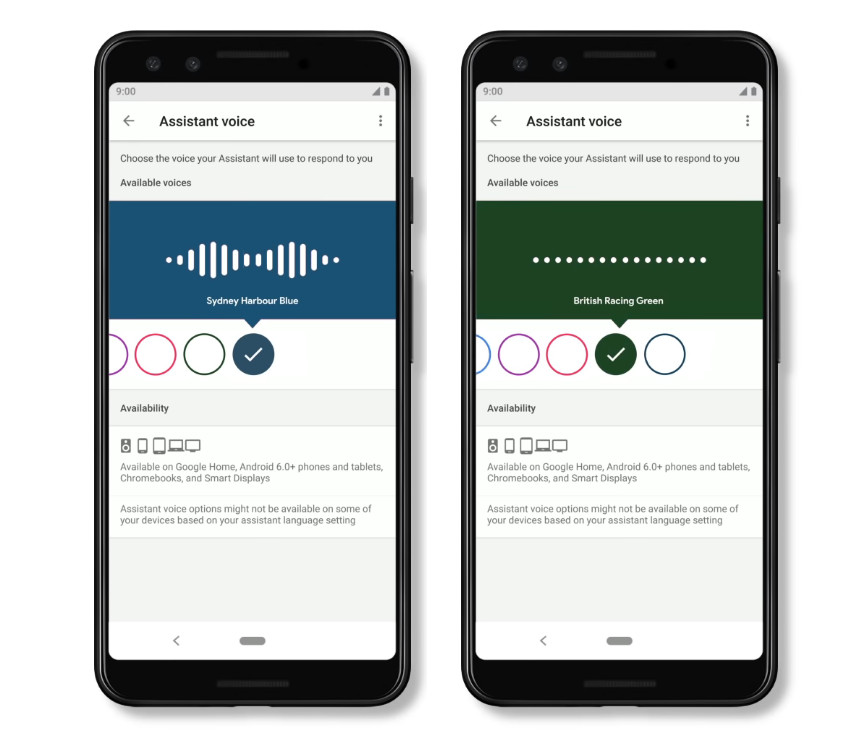
 Google Home Speakers in the US can now choose between an Australian-accented voice and a British-accented voice for your Google Assistant across devices. All the other settings and features including setting a timer, checking the weather and getting an overview of your commute and everything else remain the same while your Assistant will speak with a new accent. https://www.youtube.com/watch?v=TMZYVMr5UJQ The Google Assistant speaking in an Australian-accented voice and a British-accented voice are built using DeepMind’s speech synthesis model WaveNet, which uses deep neural networks to generate raw audio waveforms resulting in more realistic and natural-sounding voices for the Google Assistant. To try out these new voices on your Assistant, navigate to “Settings” on your phone, tap on the “Assistant” tab, and select “Assistant voice.” You’ll now see two new voices that you can select, either “Sydney Harbour Blue” for the Australian voice, or “British Racing Green” for the British voice. Source
Thursday, 13 December 2018
Google Assistant gains support for Australian and British accents
Google Home Speakers in the US can now choose between an Australian-accented voice and a British-accented voice for your Google Assistant across devices. All the other settings and features including setting a timer, checking the weather and getting an overview of your commute and everything else remain the same while your Assistant will speak with a new accent. https://www.youtube.com/watch?v=TMZYVMr5UJQ The Google Assistant speaking in an Australian-accented voice and a British-accented voice are built using DeepMind’s speech synthesis model WaveNet, which uses deep neural networks to generate raw audio waveforms resulting in more realistic and natural-sounding voices for the Google Assistant. To try out these new voices on your Assistant, navigate to “Settings” on your phone, tap on the “Assistant” tab, and select “Assistant voice.” You’ll now see two new voices that you can select, either “Sydney Harbour Blue” for the Australian voice, or “British Racing Green” for the British voice. Source

