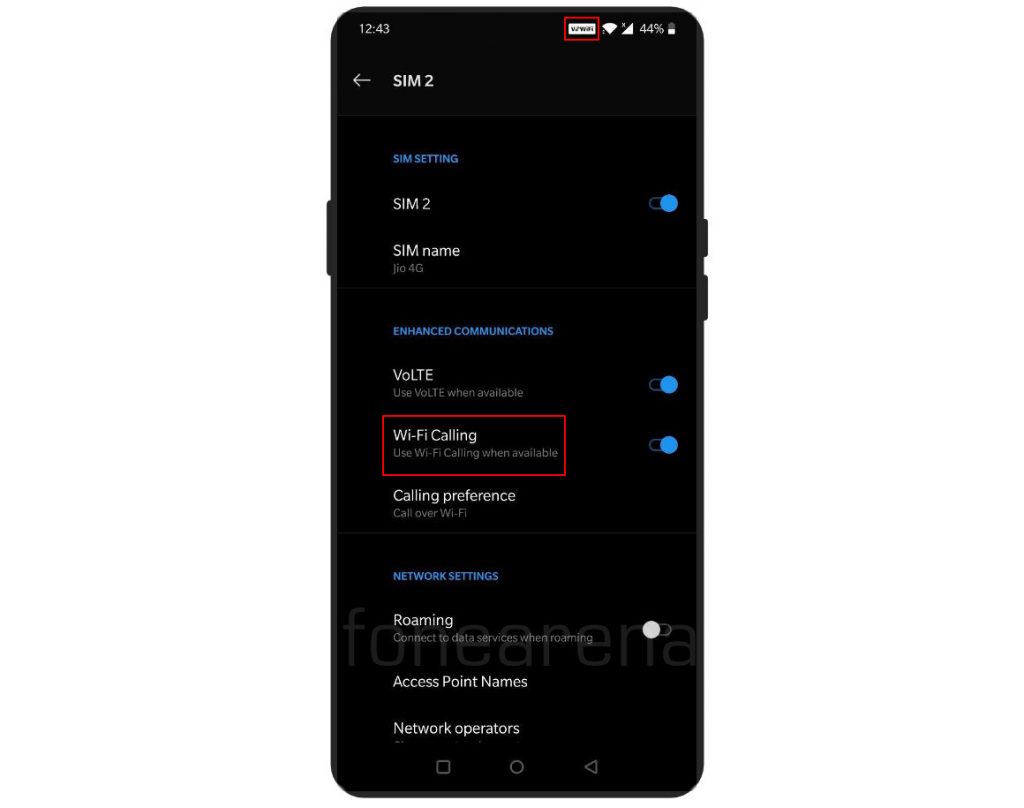
 Jio launched its Wi-Fi calling services shortly after Airtel launched it across several circles. The list of compatible list of devices is huge compared to Airtel, but OnePlus smartphones are not included in the list yet. But, there's a workaround on getting Jio VoWiFi on your OnePlus smartphone, and in this post, we will show you the steps to get Jio Wi-Fi calling on your OnePlus smartphone. Note: We tested on OnePlus 7T, 7T Pro and OnePlus 6 smartphones and it worked as expected. It is not working on OnePlus 6T, as of now. [gallery link="file" size="large" ids="302194,302193,302192"] Steps to enable Jio VoWiFi on OnePlus smartphones Download and install OnePlusLogKit 1.0 APK [Download Link] Open Dialer and dial *#800# You'll get a warning, but click 'Enter' Then, go to oneplus Log Kit->Function Switch->VoWifi switch and enable the same Reboot your device Lastly, navigate to Settings->Wi-Fi & internet->SIM & network->SIM (Jio 4G)->Enhanced Communications->Turn on Wi-Fi Calling WiFi Calling will start working and you will see the 'VoWiFi' icon on the status bar It is to be noted that the Function Switch on the LogKit is a Dev test only, and the functionality might be unstable after enabling. Hopefully, Jio and OnePlus will enable this feature ...
Friday, 10 January 2020
Here’s how you can enable Jio WiFi Calling on OnePlus devices
Jio launched its Wi-Fi calling services shortly after Airtel launched it across several circles. The list of compatible list of devices is huge compared to Airtel, but OnePlus smartphones are not included in the list yet. But, there's a workaround on getting Jio VoWiFi on your OnePlus smartphone, and in this post, we will show you the steps to get Jio Wi-Fi calling on your OnePlus smartphone. Note: We tested on OnePlus 7T, 7T Pro and OnePlus 6 smartphones and it worked as expected. It is not working on OnePlus 6T, as of now. [gallery link="file" size="large" ids="302194,302193,302192"] Steps to enable Jio VoWiFi on OnePlus smartphones Download and install OnePlusLogKit 1.0 APK [Download Link] Open Dialer and dial *#800# You'll get a warning, but click 'Enter' Then, go to oneplus Log Kit->Function Switch->VoWifi switch and enable the same Reboot your device Lastly, navigate to Settings->Wi-Fi & internet->SIM & network->SIM (Jio 4G)->Enhanced Communications->Turn on Wi-Fi Calling WiFi Calling will start working and you will see the 'VoWiFi' icon on the status bar It is to be noted that the Function Switch on the LogKit is a Dev test only, and the functionality might be unstable after enabling. Hopefully, Jio and OnePlus will enable this feature ...


-
Here are the social profile links that I have worked on for Backlinks https://docs.google.com/presentation/d/1gAvVQYafqO_jWsSIz3N95Sy3q5KAx...
-
Yi technology, the company which is backed by Xiaomi recently launched products like Yi Home Camera 3, Yi Action Camera, Yi Home Security C...
-
Realme launched the Realme 3 Pro with Snapdragon 710 processor, up to 6GB RAM, Dual rear cameras last week in India. The smartphone went on...

