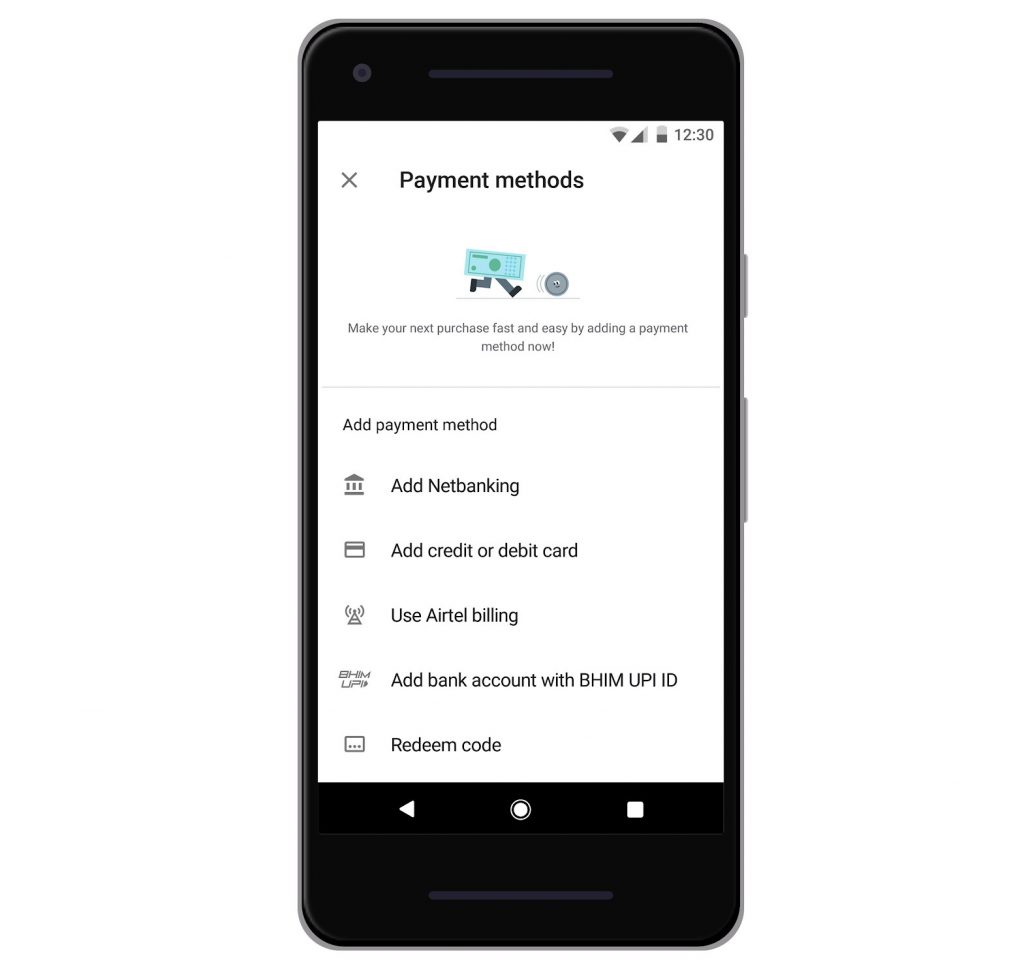
 Google rolled out a complete visual redesign of the Play Store for all the users recently. Now, Google has added a new Unified Payment Interface(UPI) payment method in the Play Store to make it even easier for people to pay for apps and in-app content. This will exist alongside the existing payment methods like NetBanking, Credit/Debit Card, Carrier billing, and Play Balance. UPI is being used by many people in India for the convenience and the flexibility it offers. Now, with the new UPI payment option in the Google Play Store, users can purchase apps, games, movies, books, in-app content etc easily. Users will be able to pay using their preferred UPI app including BHIM, Google Pay, Paytm and PhonePe. Also, Google says that users across the country are now choosing UPI for everything from utility bill payments, mobile recharges, in-store transactions and much more. How to make payments using UPI in Google Play Store Open Google Play StoreNavigate to 'Payment methods' present in the hamburger menuSelect 'Add bank account with BHIM UPI ID'Enter your UPI ID and click 'Add'UPI will be added as a payment method and can be used for purchases in the Play Store UPI payment option is ...
Thursday, 5 September 2019
Google Play Store gets UPI payment method in India
Google rolled out a complete visual redesign of the Play Store for all the users recently. Now, Google has added a new Unified Payment Interface(UPI) payment method in the Play Store to make it even easier for people to pay for apps and in-app content. This will exist alongside the existing payment methods like NetBanking, Credit/Debit Card, Carrier billing, and Play Balance. UPI is being used by many people in India for the convenience and the flexibility it offers. Now, with the new UPI payment option in the Google Play Store, users can purchase apps, games, movies, books, in-app content etc easily. Users will be able to pay using their preferred UPI app including BHIM, Google Pay, Paytm and PhonePe. Also, Google says that users across the country are now choosing UPI for everything from utility bill payments, mobile recharges, in-store transactions and much more. How to make payments using UPI in Google Play Store Open Google Play StoreNavigate to 'Payment methods' present in the hamburger menuSelect 'Add bank account with BHIM UPI ID'Enter your UPI ID and click 'Add'UPI will be added as a payment method and can be used for purchases in the Play Store UPI payment option is ...


-
Yi technology, the company which is backed by Xiaomi recently launched products like Yi Home Camera 3, Yi Action Camera, Yi Home Security C...
-
Just Corseca has launched the ‘Spin Bunny,’ a portable speaker equipped with a microphone. This audio device goes beyond its compact size, ...
-
Telegram today has introduced a new feature; Telegram Passport a unified authorization method for services that require personal identifica...


